A portfolio that opens on the reel
Project 13 of 28 in the archive 04 of 08 in Front-end development See the whole discipline ↗
The brief
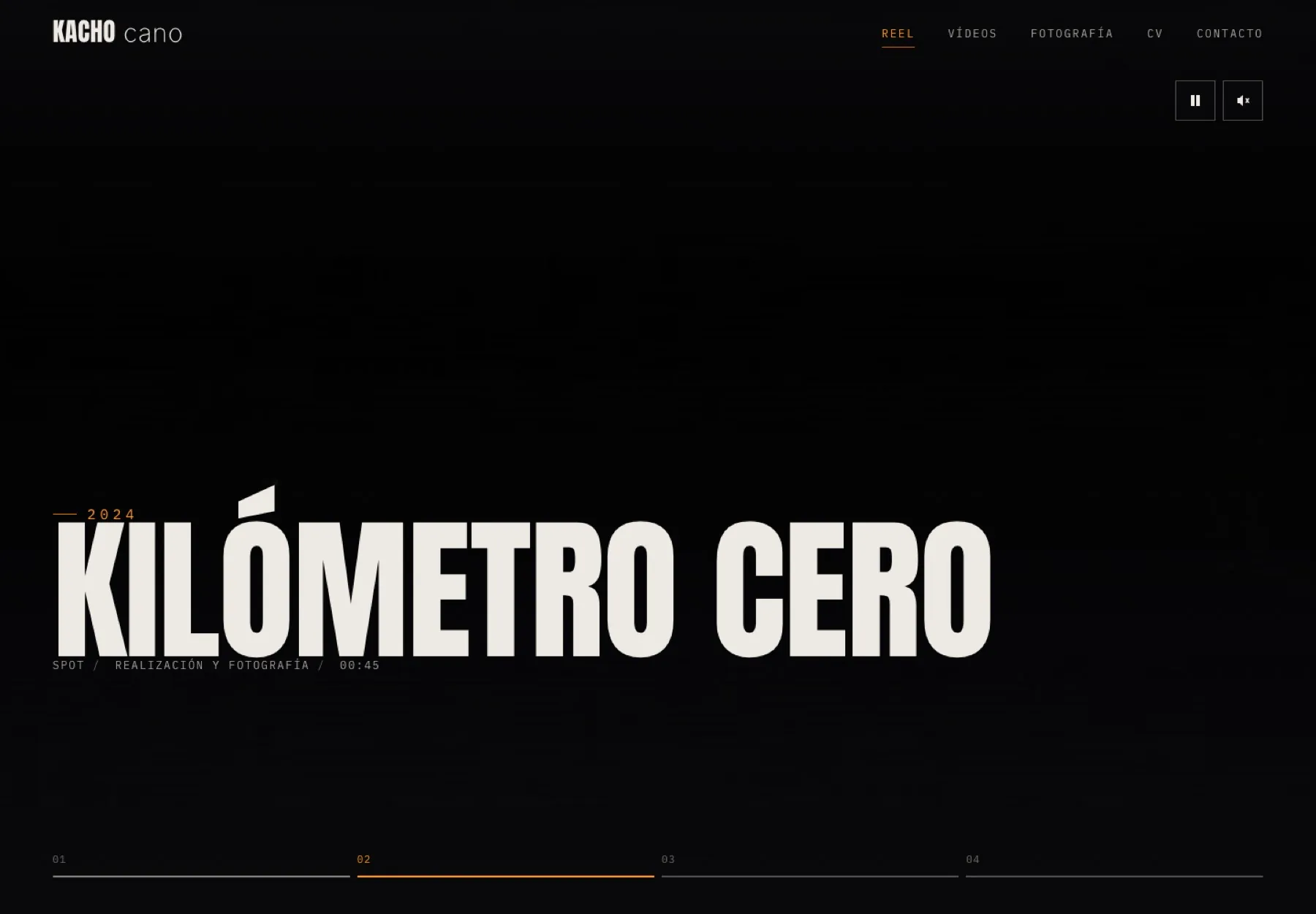
A film portfolio has one specific problem: the home page is a heavy video and the first impression depends on it starting fast.
Everything else is subordinate to that.
How it was solved
The site is static and ships by dragging the folder. Projects, photography and the CV live in a single data file, so the client adds new work without touching HTML.
It includes an accessibility page, design tokens in JSON, and visible playback controls for anyone who would rather the video stayed still.
Live
The whole site, running right below: the reel starts on its own, the dial in the photography section turns with the mouse, with a finger, with the scroll wheel and with the arrow keys, and the ES/EN switch changes all the content.
A frame is a good place to prove something exists and a bad place to use it. To really walk through it, open it in a tab.
The videos and photographs you see here are not Kacho Cano’s. The page is published so that you can see how it will work —the reel, the dial, the project sheets and the form— and the material is an example of how it will look once it is loaded with his real work.
Open it large: the reel, the dial, the CV and the form
The frame below proves it exists; walking through it needs a screen. It opens in a new tab.
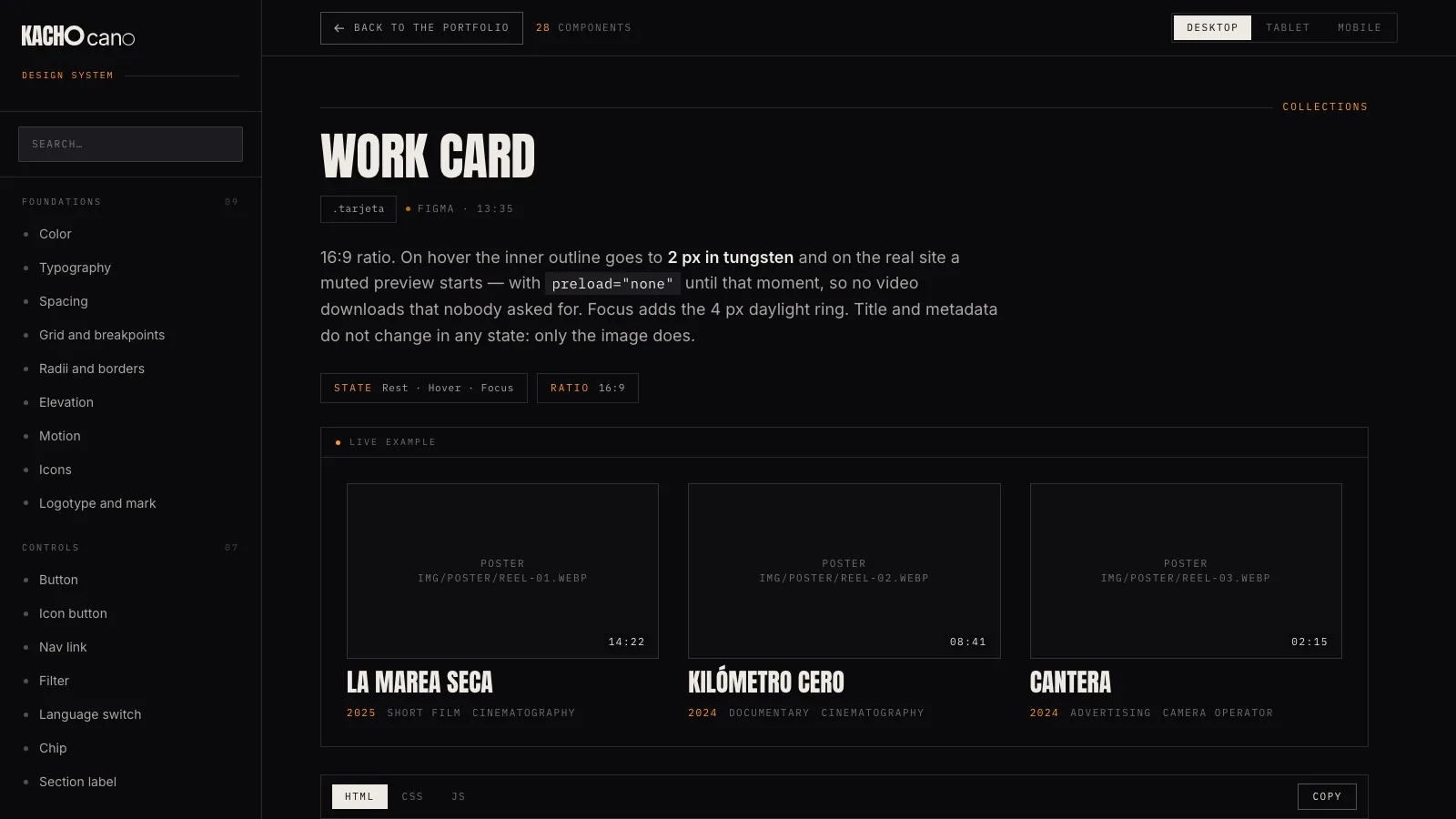
The design system it is built with has a page of its own: Kacho Cano Design System ↗
A CMS so the client edits his own site
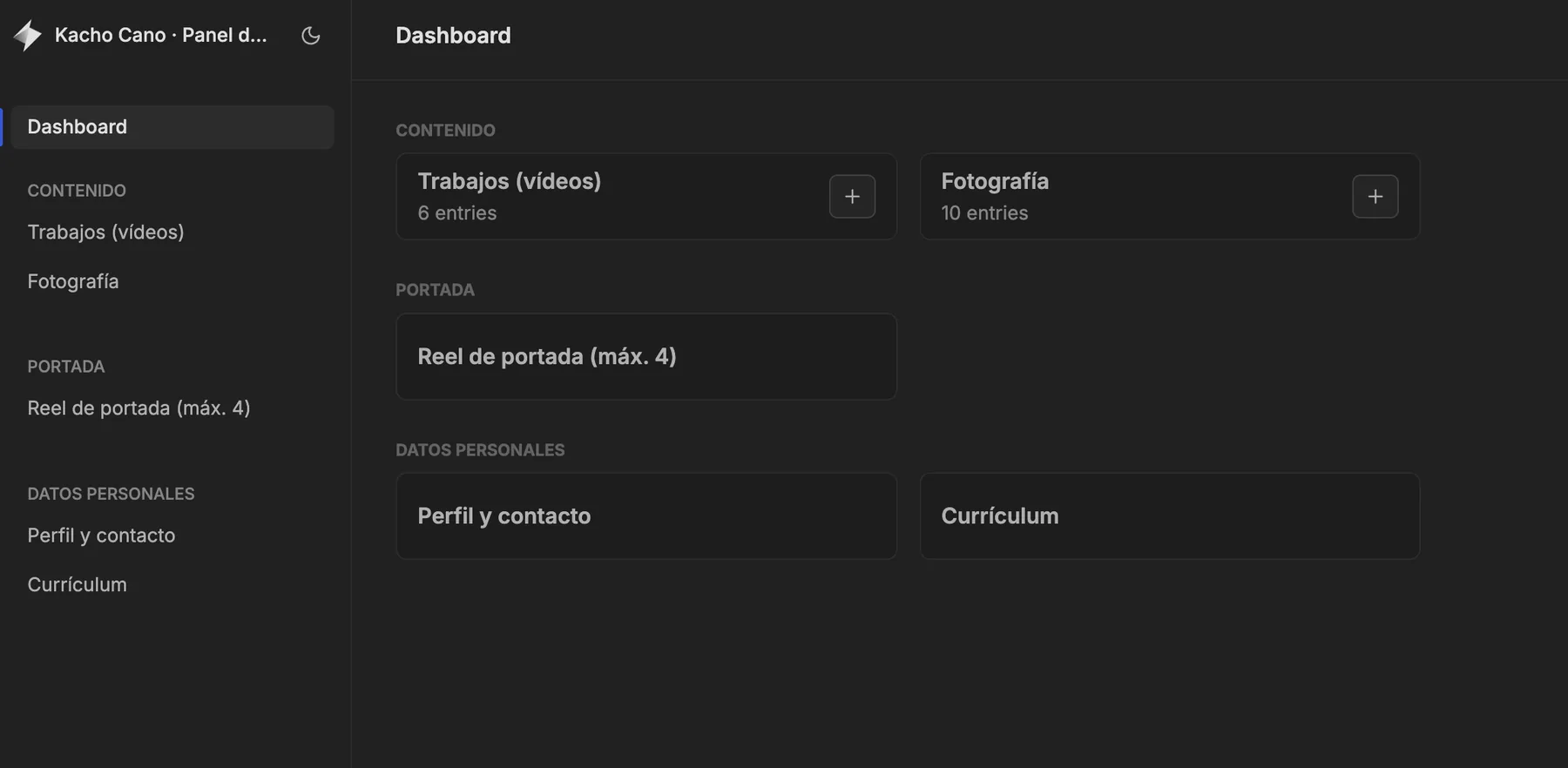
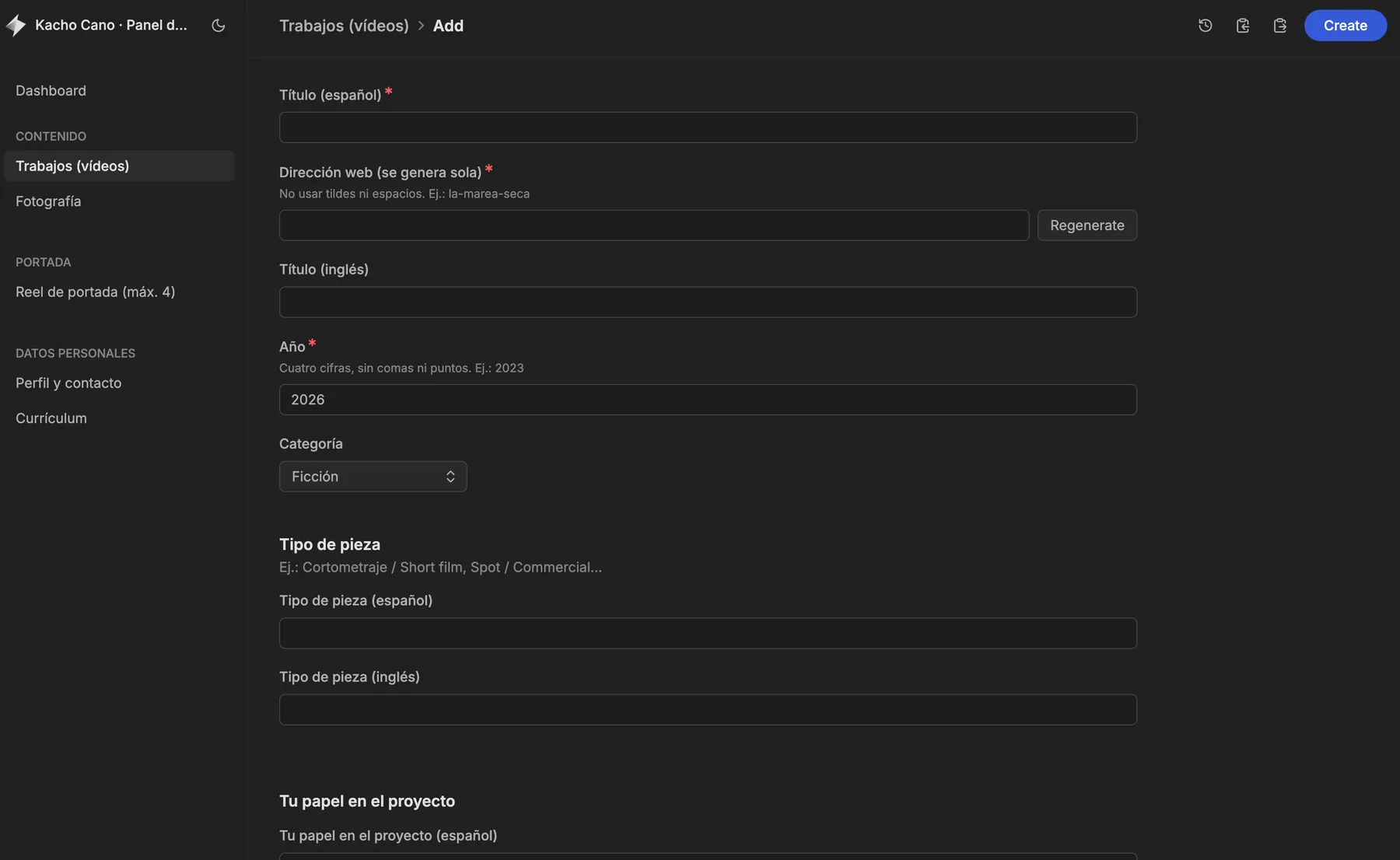
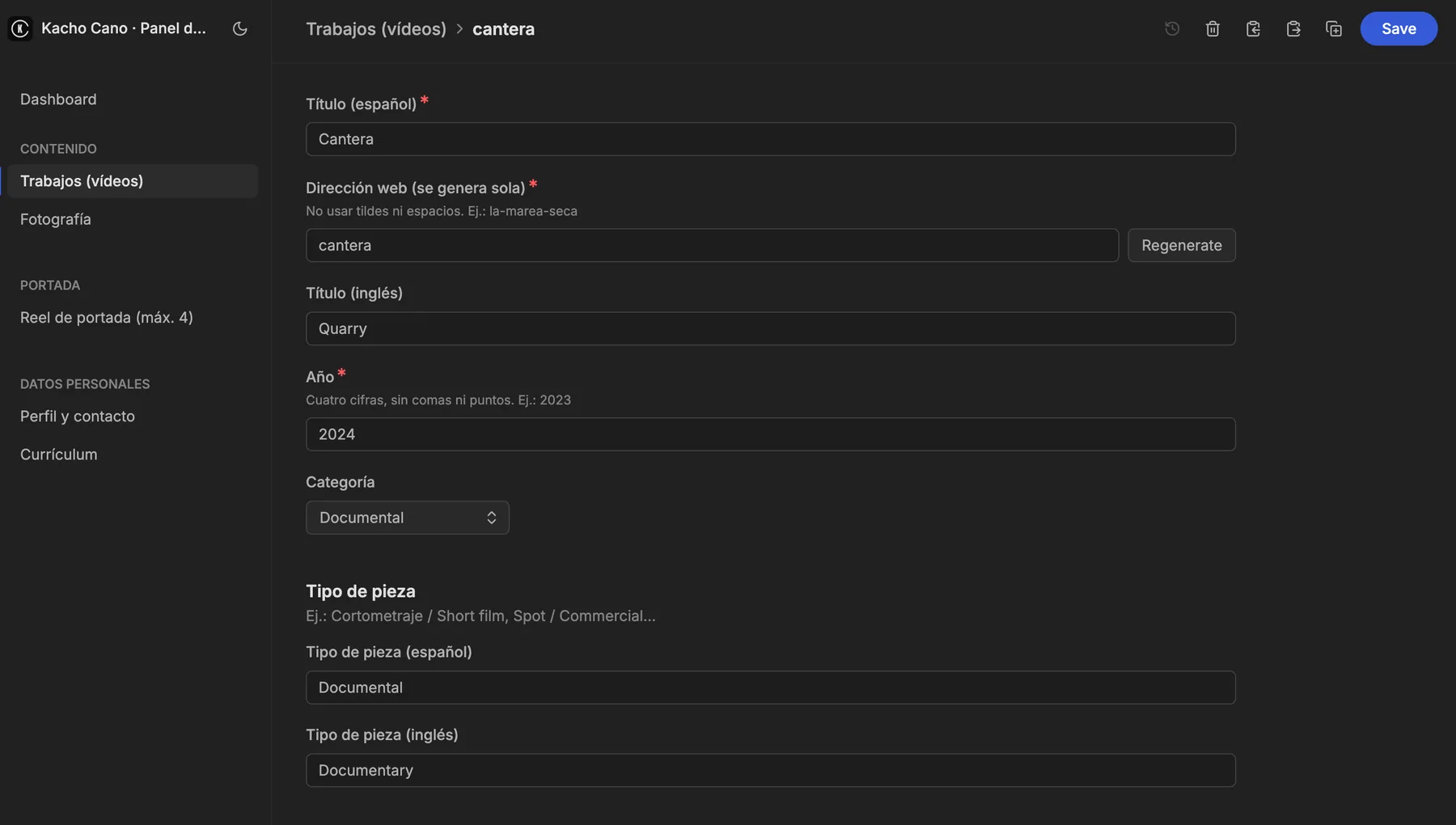
That data file is never touched by hand: I built a custom admin panel so Kacho manages his site without writing a single line of code. From there he adds work and photographs, orders the home-page reel, and updates his profile, contact details and CV — in Spanish and in English at the same time.
Each entry generates its own web address, flags the required fields and saves both languages in the same form. The panel is private — a working tool between the client and me — but these three screens show how it works.
Where it comes from
This site is the last piece of a three-part project. The diagnosis and the design system are on the audit and UX/UI design page, and the mark that signs it on the identity one.
Next in Front-end development
Kacho Cano · Design system